t
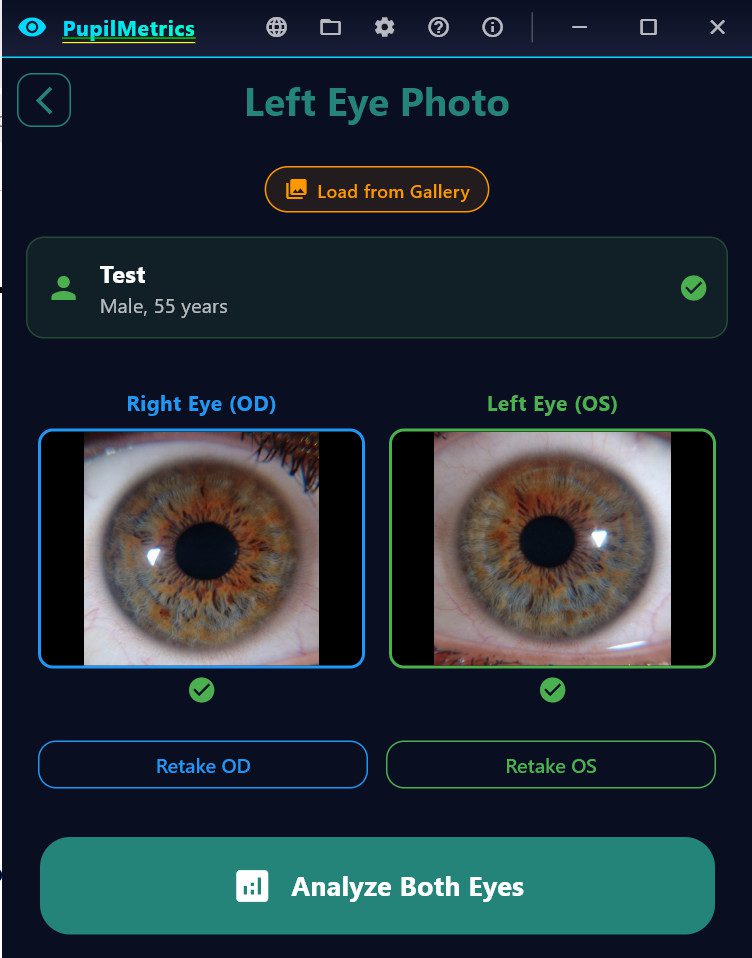
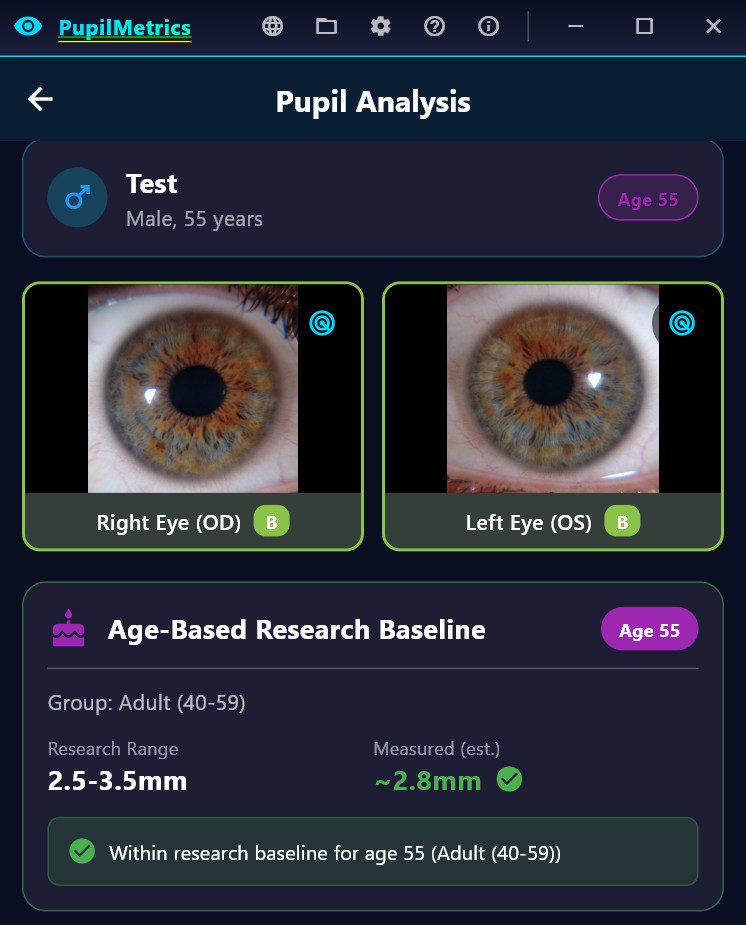
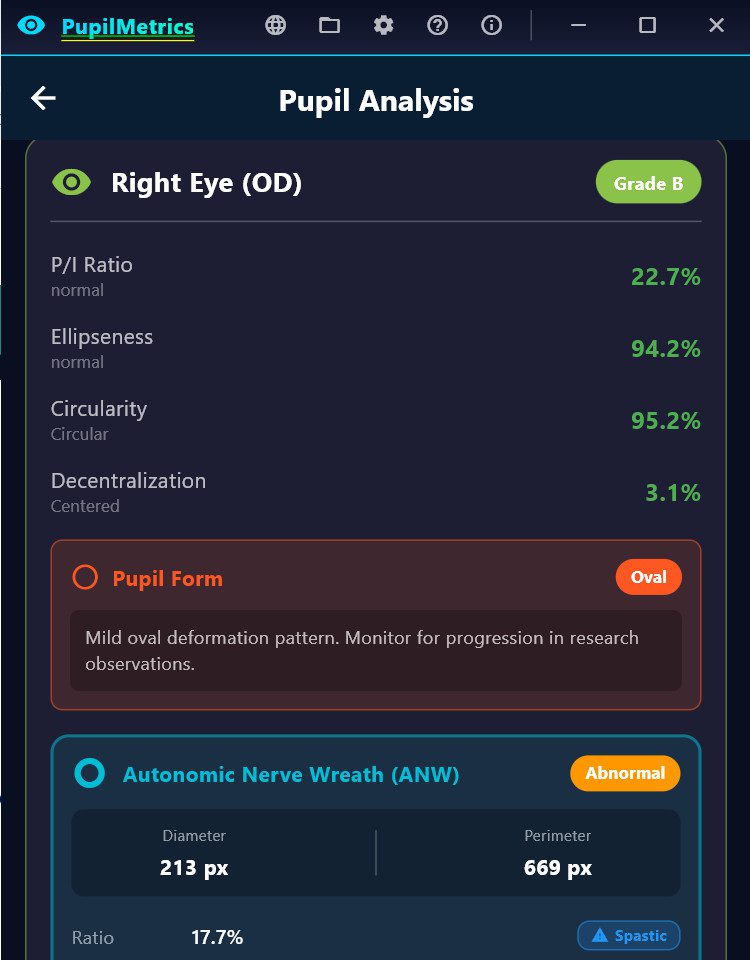
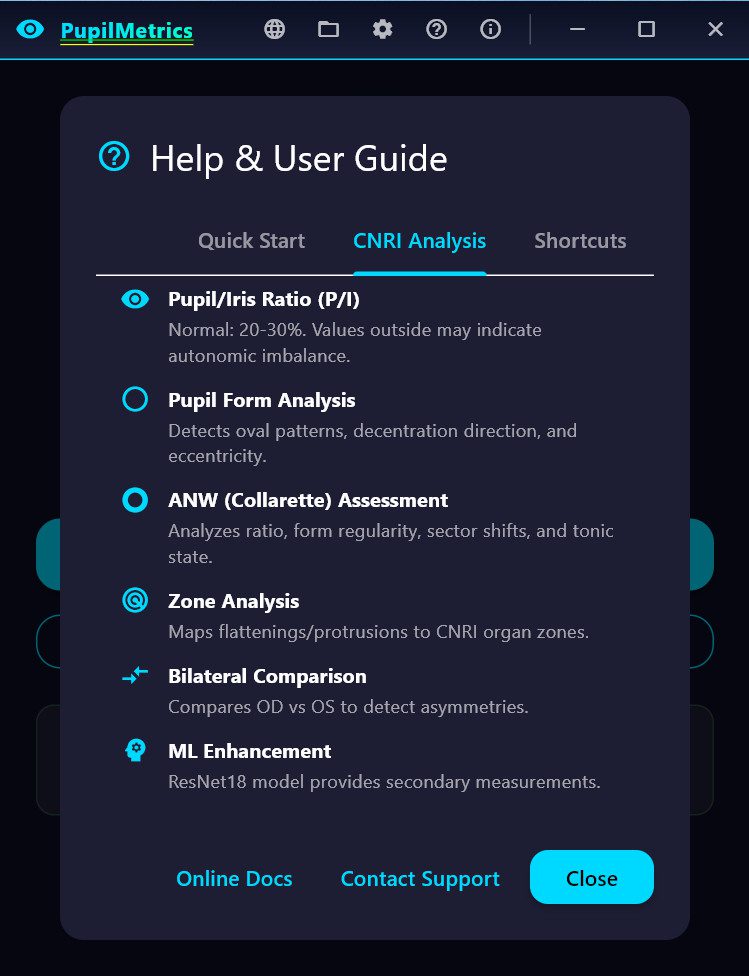
“PupilMetrics Research” and “PupilMetrics Neuro” implements Professor Bryan K. Marcia’s clinical and historical research protocols.
Core Algorithm Components
- Iris Detection
- Uses grayscale image processing to locate the iris boundary
- Employs a circle-scoring algorithm that searches for the strongest edge gradient
- Two-pass detection: coarse search followed by fine refinement
- Returns center coordinates, radius, and confidence score
- Pupil Detection
- Searches within the inner portion of the detected iris
- Uses adaptive thresholding based on the darkest 30% of pixels
- Fits an ellipse to the dark region using covariance matrix eigenvalue decomposition
- Extracts boundary points by ray-casting from center outward
- Returns center, major/minor axes, orientation angle, and boundary points
- Pupil Boundary Analysis
- Analyzes 72 boundary points (every 5 degrees) around the pupil edge
- Calculates deviation from the average radius at each clock position
- Groups deviations by clock hour (12 zones)
- Identifies flattenings (inward deviations) and protrusions (outward deviations)
- ANW (Autonomic Nerve Wreath) Detection (Current Phase)
- Searches for gradient changes between pupil edge and mid-iris
- Identifies the collarette boundary
- Calculates ANW ratio relative to iris diameter
- Algorithm updates include:
- SHIFTS (Drawing Out)
Which zone the collarette bulges toward
Clinical correlation based on Velhover - CONSTRICTIONS (Drawing In) Frontal zone constricted S: Middle-temporal shift. ← Drawing OUT (protrusion), S: Frontal and basal zones are constricted. ← Drawing IN (narrowing) (ML detected 78% of pathological cases!)
Basal zone constricted
Combined “Frontal and basal” pattern
Both in Same Eye
Correctly reports both when present
Matches Bexel output format exactly
What We Now Have:
ANW Ratio – Bexel-compatible calculation (25-35% normal)
ANW Form Type – Regular, Drawn In, Drawn Out
ANW Asymmetry – Per-sector variance detection
Zone Constrictions – “Frontal zone constricted” style reporting
Pattern Correlation – Compare pupil and ANW findings by sector
Key Measurements Produced
Parameter
Description
Normal Range
P/I Ratio
Pupil diameter as % of iris diameter
20-30%
Ellipseness
Minor/major axis ratio
>95% normal
Circularity
How circular the pupil boundary is
>95% normal
Decentralization
Pupil center offset from iris center
<5% normal
Deformation
Maximum boundary deviation
<5% normal
ANW Ratio
Autonomic nerve wreath position
25-35% normal
Clinical Interpretation Features
Pupil Form Types applied in Velchover system (PupilMetrics Neuro Version)
- Circle – Normal
- Oval-Vertical – Circulatory cerebral disturbances with danger of hemorrhage
- Oval-Horizontal – Depressive states, atherosclerosis, asthma predisposition
- Oval-Diagonal – Urogenital system disturbances
- Left Oblique Ellipse – Urogenital weakness, possible left side paralysis
- Unilateral Ellipse – Nervous asthma, bronchus difficulties
- Ventral Diverging Ellipse – Leg motility issues, nervous system disturbances
- Frontal Diverging Ellipse – Brain insult risk, anxiety, muscle spasms
Decentration Patterns
- Frontal – Mental/cerebral issues
- Basal – Leg motility, nervous system
- Nasal – Lung pathology (right eye) / Cardiac issues (left eye)
- Temporal – Nephritis, orchitis, salpingitis
- Middle-Nasal – Oxygen deficiency, cardiospastic risk
- Upper-Nasal – Mental disorders, spinal irritation
- And 8 more NEW machine learning directional patterns…
Zone-Specific Organ Associations
Each of the 8 pupil zones has specific organ associations for:
- Flattenings – Indicating hypofunction/weakness
- Protrusions – Indicating hyperfunction/irritation
Velhover’s Clinical Collarette Correlation Update 01.26.26
Shift Pattern
Eye
Clinical Association
Middle-temporal shift
OS (Left)
Left ventricle overload, cardiac
Lower temporal shift
Either
Vena cava inferior hemodynamics
Middle-nasal shift
Either
Vagus/stellate ganglion hypofunction
Basal shift
Either
Pelvic congestion, inflammatory diseases
Upper temporal shift
Either
Vertebro-basilar insufficiency
· Shifts (e.g., “S: Middle-temporal shift.”)
· Constrictions (e.g., “Frontal zone constricted”)
· Form Type (Regular, Drawn In, Indented, Lacerated)
· Ratio Status (Spastic/Normal/Atonic)
· Asymmetry % with Normal/Pathology label
· Findings list
Main Application Features
Analysis Screen
- Real-time eye validation before analysis
- Progress indicator during processing
- Displays all measurements with color-coded status
- Shows organ associations for detected anomalies
- Full descriptions for Pupil Form and Decentration Patterns
Reports Generated
- On-Screen Results – Interactive cards with expandable details
- TXT Report – Plain text with results section
- JSON Report – Structured data for integration/archival
- PDF Report – Professional formatted document with images
Additional Features
- Now available in eight languages EN,ES,PT,DE,FR,IT,KR,JP
- Age-based pupil size assessment
- Bilateral comparison between eyes
- Scan history with database storage
- PLR (Pupillary Light Reflex) video analysis
- Anisocoria detection with TBI (Traumatic Brain Injury) indicator (Neuro-Version only)
y
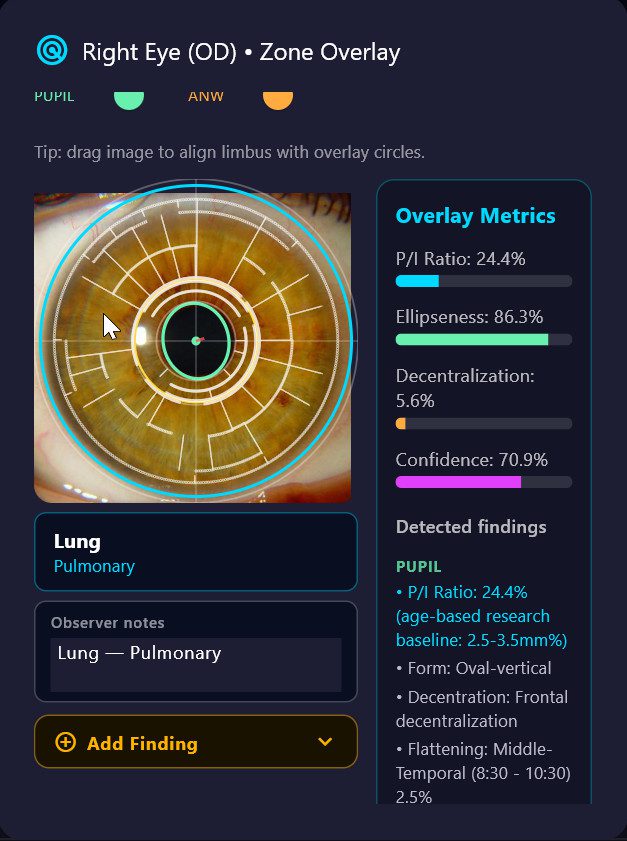
When **Show zone overlay** is on, the iris photo on the results screen displays an interactive polar overlay. Each clock-hour sector is tappable:
– Tap any zone to open its detail panel showing all FLAT/PROT/ANW findings in that zone, the associated organ system, and a text field for **observer notes**.
– Each tapped zone is **automatically appended to the Observer Notes field** in the format `Zone Name — Organ System`. Tapping the same zone twice will not create a duplicate entry.
– Additional free-text commentary can be typed directly in the Observer Notes field alongside the auto-populated entries.
– Observer notes are included as a named section in both the TXT report and the PDF report under “Observer Notes / Zone Overlay”.
– Notes are session-local — they are not stored in the database between sessions.
#### Iris Sign Finder (Add Finding)
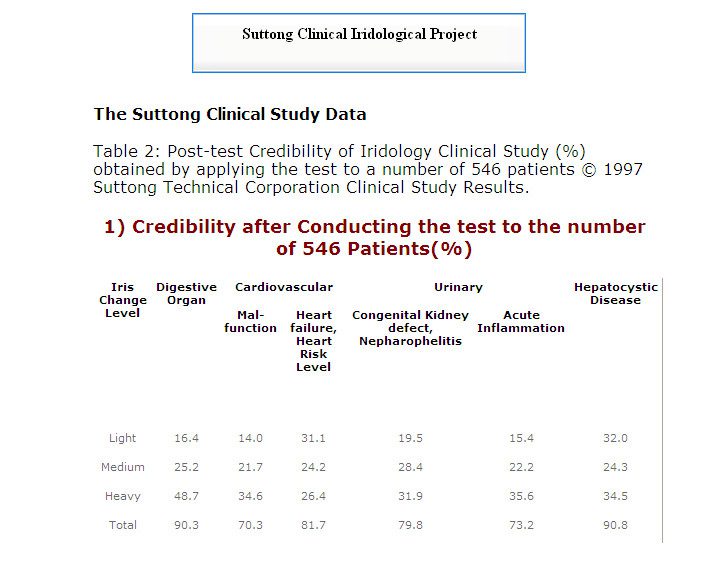
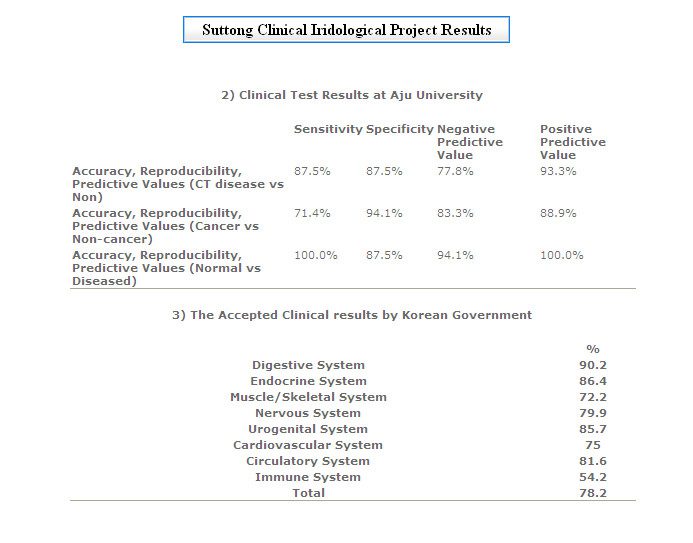
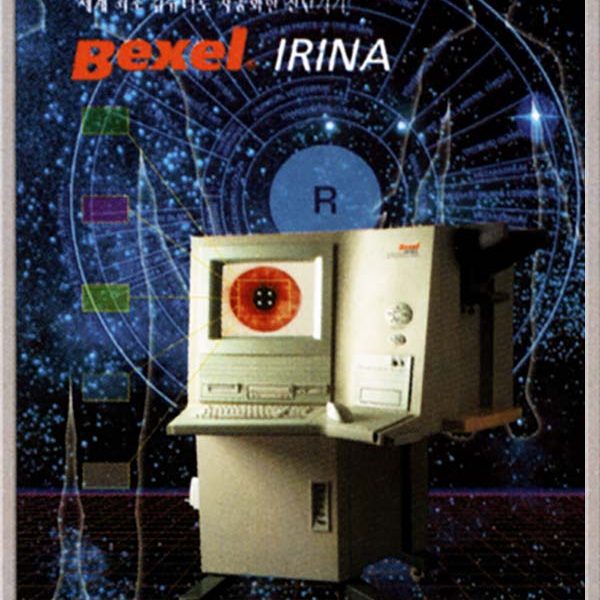
Below the Observer Notes field, an **Add Finding** panel allows the practitioner to record structured iris sign observations for the currently selected zone. This is based on the Bexel IRINA clinical classification system Government clinical trial approved studies of applying iridology and development of first approved medical device for the science of iridology and available to hospitals throughout the Asian Pacific rim.
**Workflow:**
1. Tap any zone on the polar overlay — the zone name and organ system are displayed and locked.
2. Tap the amber **Add Finding** header to expand the panel.
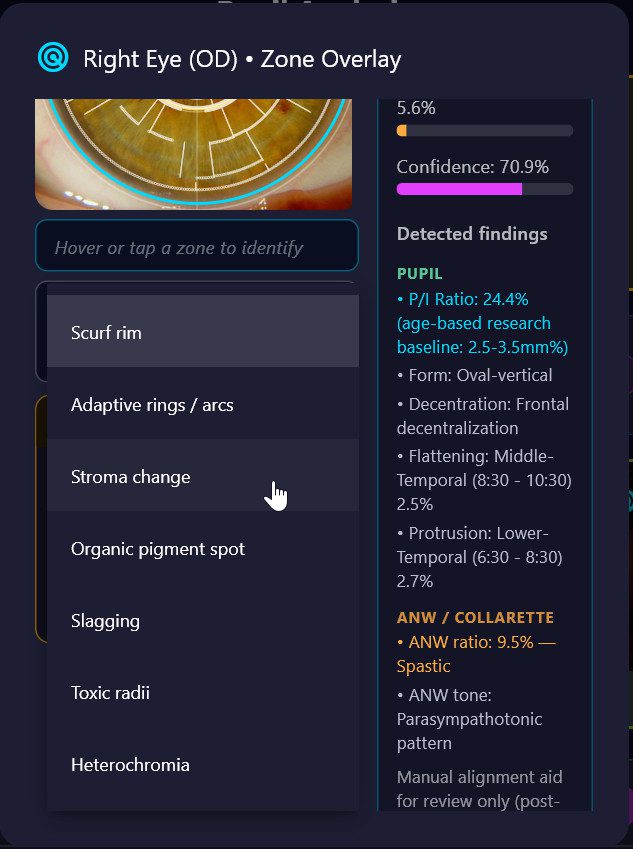
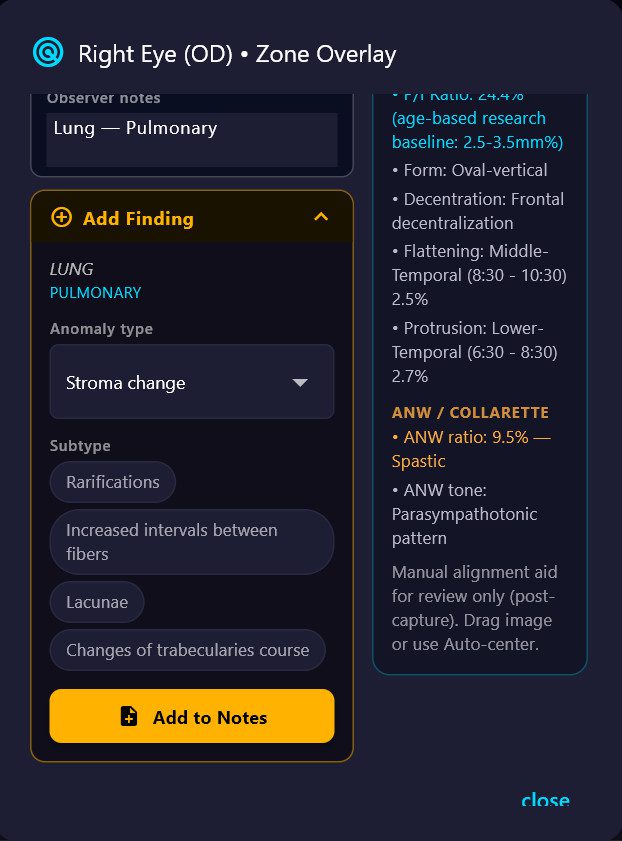
3. Select an **Anomaly type** from the dropdown. Organ-specific types appear at the top of the list automatically:
| Anomaly type | Notes |
|—|—|
| **Stroma change** | Structural fibre changes; select a subtype |
| **Organic pigment spot** | Pigmentation deposits; auto-generates clinical conclusion |
| **Slagging** | Microcirculation / connective tissue changes; auto-conclusion |
| **Toxic radii** | Radial sulci patterns; select a subtype |
| **Heterochromia** | Pigmentation variations; select a subtype |
| **Scurf rim** *(lung zones only)* | Local intoxication indicator; auto-conclusion |
| **Adaptive rings / arcs** *(lung zones only)* | Bronchospastic predisposition; auto-conclusion |
| **Autonomous wreath anomaly** *(cardiac zones only)* | ANW irregularity in cardiovascular zones |
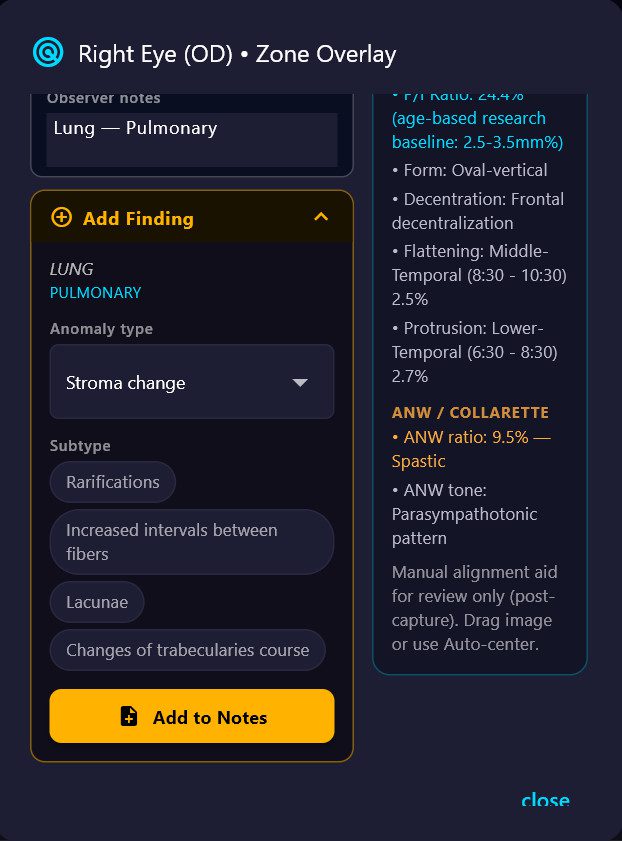
4. If the selected type has **subtypes**, tap the appropriate chip (e.g. *Lacunae*, *Hyperemic sulci*, *Sectoral hyperpigmentation*).
5. Types with known clinical significance display an automatic **Conclusion** text drawn from the iridology reference database.
6. Tap **Add to Notes** — a structured entry is appended to the Observer Notes field in the format:
[Zone Name] Anomaly type › Subtype
→ Clinical conclusion text (if applicable)
Download and Install PupilMetrics MAC OS Version

Installing PupilMetrics on macOSHi – Should run on macOS 13+ (Ventura and newer).
Thanks for your interest in PupilMetrics! Since we’re distributing the macOS version directly from our site (to keep things independent and avoid app store restrictions), you might see a security warning from macOS Gatekeeper when first opening the app. This is a standard Apple feature that flags apps not signed through their official developer program, it’s not a virus or issue with the software itself.The easiest one-time fix (no Apple account needed):Download and unzip the app as usual.
When you try to open it, if macOS blocks it with a warning like “PupilMetrics can’t be opened because Apple cannot check it for malicious software”:Right-click (or Control-click) the PupilMetrics.app file.
Select “Open” from the menu. In the popup, click “Open” again.
This bypasses the warning permanently for this app (macOS remembers your choice). It’s a built-in Apple option for trusted software like ours.If that doesn’t appear, go to System Settings > Privacy & Security, and you’ll see an “Allow Anyway” button next to PupilMetrics, click that, then open the app normally.No further steps needed after this, future updates will work the same way. If you run into any hiccups, just reply! Happy to guide you!
CNRI / PupilMetrics Team